
Sync seamlessly Telegram with your CRM
Discover how TelegrApp bridges Telegram with your CRM to streamline real-time interactions and boost productivity.

Real-Time Messaging Sync
Instantly connect Telegram chats with your CRM, ensuring your teams stay updated and responsive across platforms.

Automated Lead Capture
Effortlessly capture and organize leads from Telegram conversations, enhancing your sales pipeline’s efficiency.

Customizable Workflow Automation
Tailor automated actions to fit your business processes, improving task management and customer follow-ups.
Discover TelegrApp Benefits
A quick overview of TelegrApp’s essential capabilities.
Seamless CRM Sync
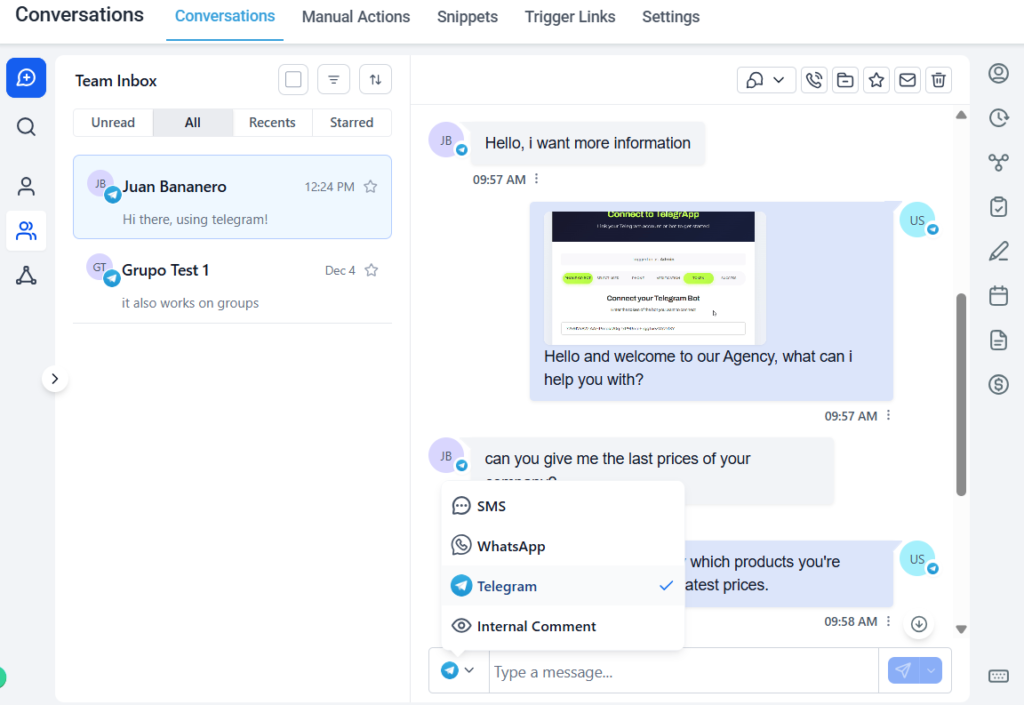
Automatically connect Telegram with your CRM, syncing multiple Telegram accounts and assigning specific CRM users.
Real-Time Messaging
Engage customers instantly with live chat through Telegram integration.
Automated Booking
Schedule meetings and reminders directly from Telegram conversations.
Secure Data Handling
Communications and customer data remain confidential and encrypted. Check our Privacy Policy for more information.
Easy Setup Process
Get started quickly with straightforward installation and user-friendly controls.
Economic Solution
Telegram Server costs are much more affordable than other conversation channels.
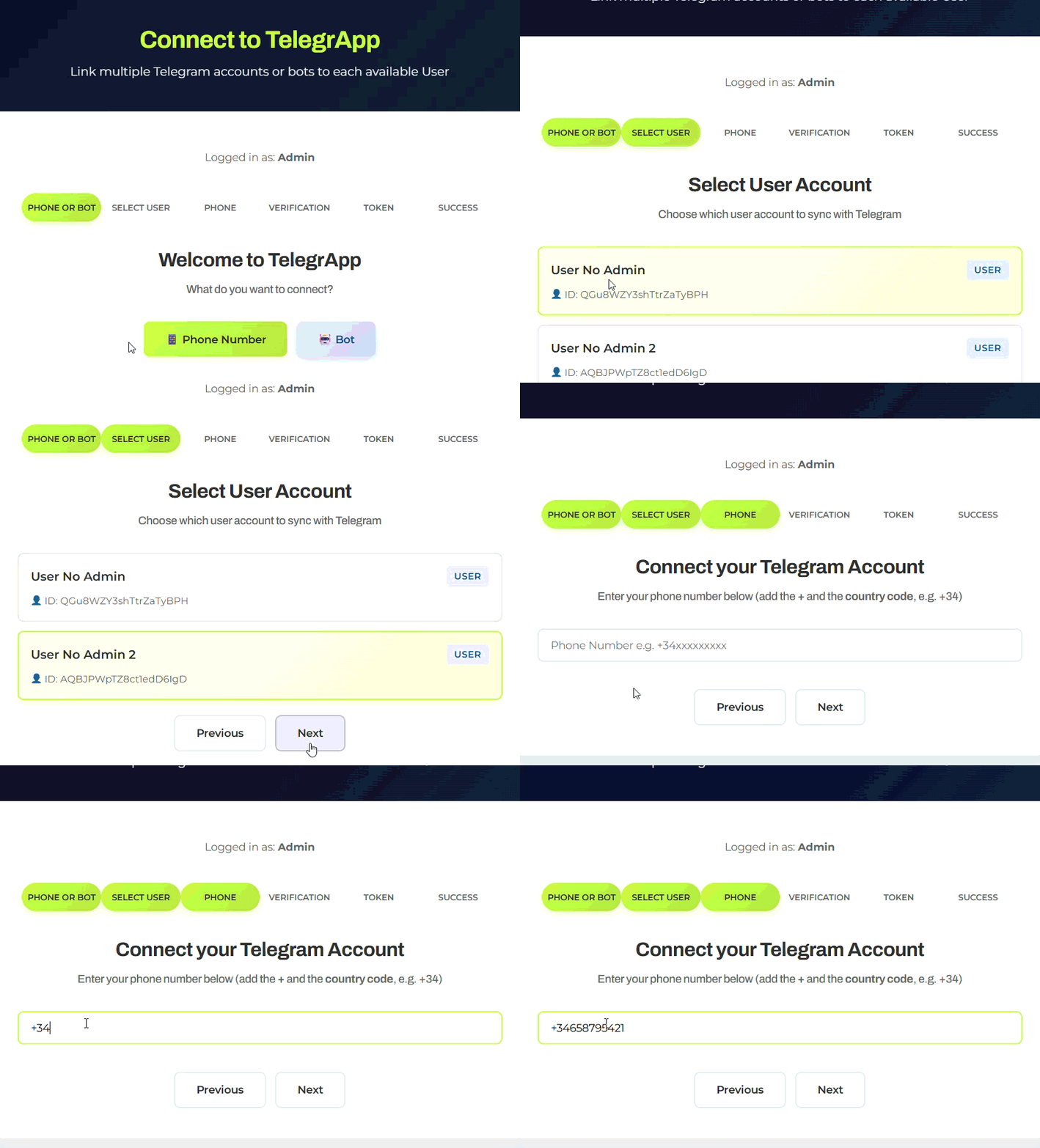
Integration Workflow
Discover the seamless steps to connect TelegrApp with your CRM, enabling instant communication and streamlined appointment management.
1
Connect Your Accounts/Bots
Link your Telegram accounts or bots with your CRM subaccount following the steps in our form
2
Configure Your Settings
Customize your integration preferences to ensure smooth data synchronization and notification management
3
Start Communicating
Use TelegrApp to manage appointments, interact with clients instantly, or even enhance productivity and engagement using a conversational AI tool
Flexible Pricing and Subscription Plans
Explore our pricing specifically designed for every type of business, no matter how many accounts or users you need.
Basic Plan
Pro Plan
Premium Plan
Ultimate Plan
Explore TelegrApp Resources
Check our Gitbook and Userjot pages, where you will find useful docs, tutorials, FAQs and roadmap to get the most out of our tool.

Documentation

Roadmap
Legal Documentation & FAQs
Here you have our Terms & Conditions, Privacy Policy and our Frequently Asked Questions regarding TelegrApp